DYNAMICS · SPEECH RIDER · 14
Still Rider
Keeps a talker near a target level as they lean in, step back or turn away.
Also in the Speech & Pulpit bundle · Livestream & Broadcast bundle
What it does
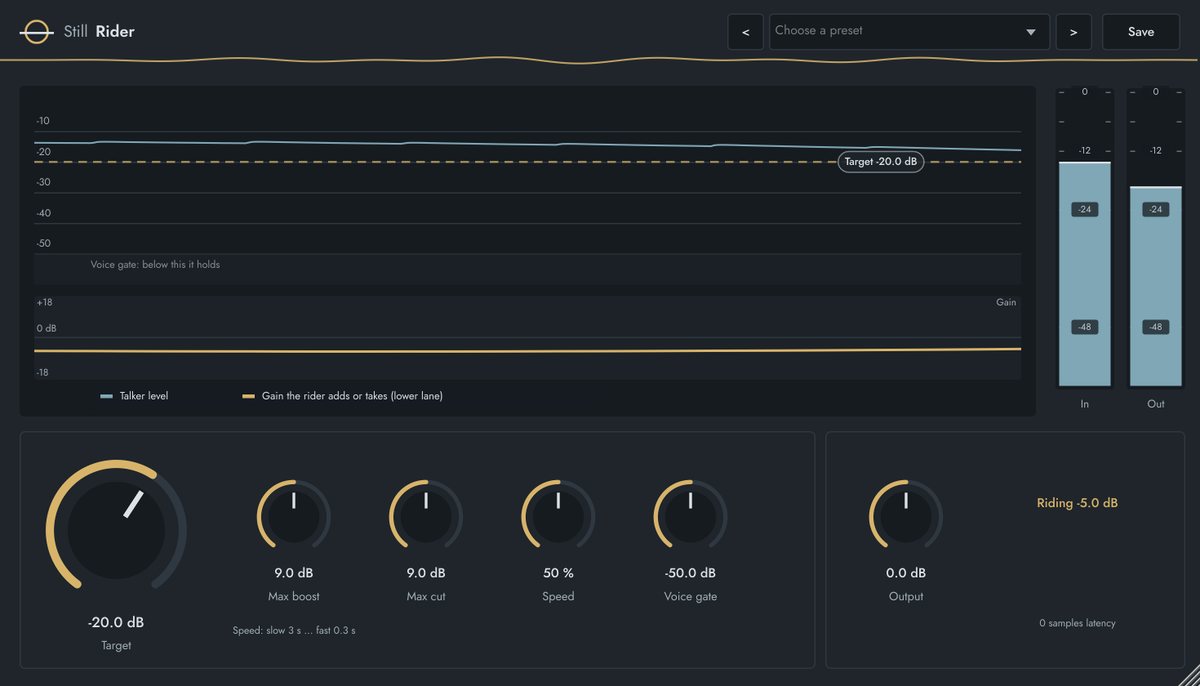
Still Rider moves the gain the way an engineer rides a fader. While someone talks, it brings their level towards Target, within Max boost and Max cut, at the Speed you choose.
Between phrases it holds where it is, so room noise is never pulled up, and a fast guard pulls a sudden loud word down quickly. It's gentler and more natural than a compressor for spoken word.
Key features
- Target line you drag on the display, with talker level and gain on separate lanes
- Max boost and Max cut (up to 18 dB each), Speed from 3 s to 0.3 s
- Voice gate: holds in pauses so the room isn't raised
- Fast guard for sudden loud words
Quick start
- Insert it after EQ and compression on the pastor's mic, or on the stream speech bus.
- Drag the Target line to where you want the voice (around −20 dB).
- Set Voice gate just above the room noise between sentences.
- Use Max boost / Max cut to limit how far it may go.
Controls
| Control | Range | What it does |
|---|---|---|
| Target | −36 to −10 dB | Speech level to aim for. |
| Max boost / Max cut | 0 to 18 dB | Most it will add or take. |
| Speed | 0 to 100% | How quickly it rides: 3 s to 0.3 s. |
| Voice gate | −70 to −30 dB | Below this it holds. |
| Output | −12 to +12 dB | Level after riding. |
FACTORY PRESETS
Pastor walking · Pulpit steady · Lapel / headset · Livestream speech · Interview / panel · Gentle
GOOD TO KNOW
Tested: a quiet talker (−38 dB) and a loud one (−17 dB) both ended within 0.2 dB of a −20 dB target, and 8 s of room noise didn't move the gain.